
vide-coding a 3D part design

Over the Christmas break, I noticed that the Christmas-light-hanging clips that I bought years ago are running out. Staring at the plastic part, I suddenly had the idea of designing a 3D printing part and print it myself. The only problem is that I am not familiar with CAD design software like AutoCAD or Solidworks. A few years ago I played with the open source CAD design programming language called OpenSCAD. What happens if I combine an AI coding agent and OpenSCAD to see if it can help me design the part?

I took a few photos of the existing clip I have from different angles, and did a few measurements to give the agent the idea of the actual size. Then I fired up my go-to coding agent Kiro-cli (you can also use Claude Code or OpenAI Codex). Besides giving the agent a detailed prompt of what I want, I also told it that OpenSCAD can be used in CLI to render code to PNG with a user-specified camera angle.

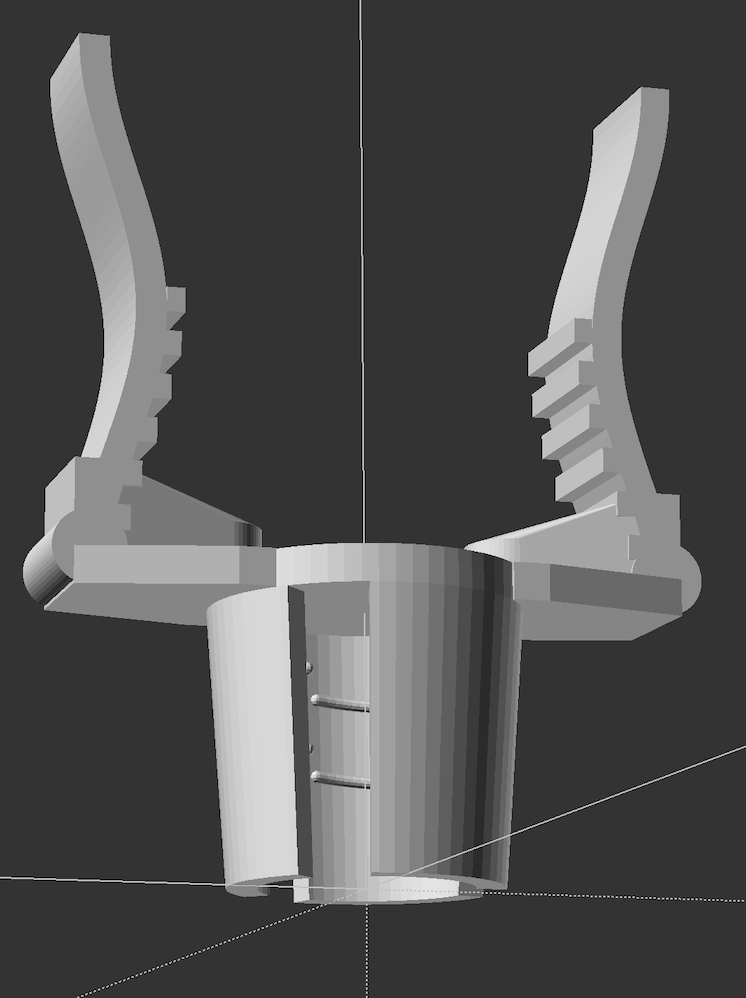
With all of this information, Kiro-cli went to work. It loaded the photos I took, wrote some OpenSCAD code, used the OpenSCAD CLI tool to render the code to PNG, loaded the rendered PNG files to observe, then further modified the code, rendered and observed, until the agent was satisfied with the result. While the agent was busy, it was very cool for me to load the PNG files and see the progress it was making. At the end, after a few rounds of further prompting, the agent was able to successfully design the part that mostly matching the original part I have. All of this was done without me inspecting/understanding any of the OpenSCAD code it wrote.
The Bystander Effect

The more people who witness an incident, the less likely it is that someone will intervene—that’s the power of the Bystander Effect. It can happen for a few reasons.

  1. Observing people who witness an incident but do not intervene can cause someone to assume that the behavior is acceptable and they’re the only one who is uncomfortable.

  2. When many people observe a potentially harmful or unprofessional situation, individuals feel less personal responsibility to intervene. They may assume that, with so many people around, surely someone else will help.

  3. Bystanders often wait in confusion to see if someone else will intervene. This is a natural response, but it doesn’t mean the impacted person doesn’t need help.

Nodejs 18,20,22 for Amazon Linux 2

If you happen to need a recent version of nodejs on Amazon Linux 2, nvm doesn’t work because the binary nodejs installs needs a newer version of libc. Stackoverflow provides the following pre-compiled nodejs that you can use on Amazon Linux 2:

Node 18.17

wget -nv https://d3rnber7ry90et.cloudfront.net/linux-x86_64/node-v18.17.1.tar.gz

Node 20.18

wget -nv d3rnber7ry90et.cloudfront.net/linux-x86_64/node-v20.18.0.tar.gz

Node 22.18

wget -nv https://d3rnber7ry90et.cloudfront.net/linux-x86_64/node-v22.18.0.tar.gz

Find the original answer on stackoverflow

Testing Opus 4.1 with the new pelican-riding-bicycle prompt

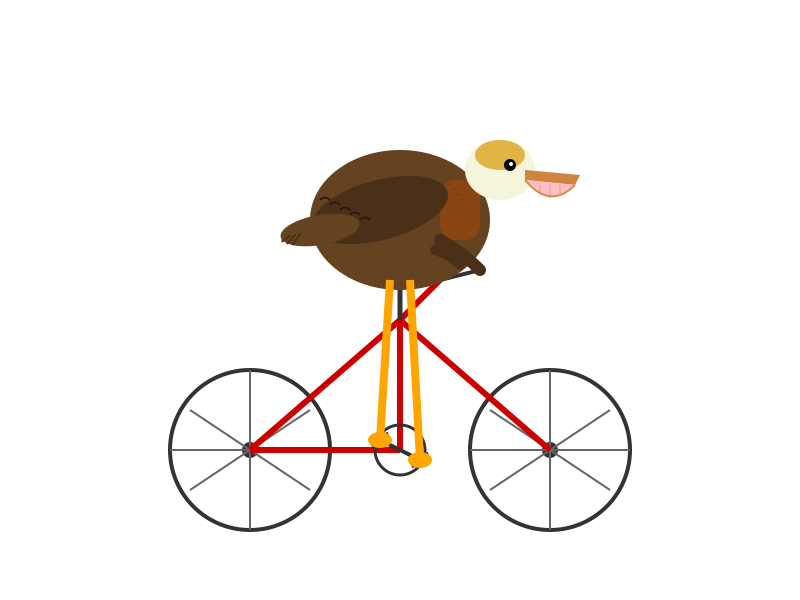
After reading Simon Willison’s recent blog post on his new pelican-riding-bicycle llm test and seeing the unsatisfactory results from GPT 5.1 and Sonnet 4.5, I decided to try it on Opus 4.1. Here is what it looks like:pelican

I would say that looks reall good to me!

And here is the prompt I gave it:

Generate an SVG of a California brown pelican riding a bicycle. The bicycle must have spokes and a correctly shaped bicycle frame. The pelican must have its characteristic large pouch, and there should be a clear indication of feathers. The pelican must be clearly pedaling the bicycle. The image should show the full breeding plumage of the California brown pelican.

uv

Today I learned that the difference between uv tool install vs uv tool run which is the same as uvx. The former installs thing permanently for you, under a directory where you can find with the command uv tool dir (on macOS, it’s ~/.local/share/uv/tools). The latter also installs things in the uv cache dir, which you can find with the command uv cache dir (on macOS, it’s ~/.cache/uv/). You can use the uv cache size/prune/clean to manage the cache. You may want to watch for your cache size so that it doesn’t bloat too big because of all the one-time python command you ran in the past. I believe there is a way to set a max cache size.

So looks like uv tool is a good tool to manage python packages that comes with cli tools that you just want to use as a normal cli. in this case, it manages all the venv for you and added to your PATH env nicely and automatically.

Also a big shoutout to the parakeet-mlx tool that allows you to do speech-to-text on your mac and output .rst files with timestamps.